When a JennAir microwave touch panel stops responding, power glitches, control locks, and membrane wear rank ahead of random board swaps.
An unresponsive JennAir microwave touch display usually comes down to a control lock, moisture on the panel, a brief power glitch or a worn touch area. Clear any lock, dry and gently clean the panel, and try one breaker reset. If the display stays dark or only some pads respond, book service rather than forcing the trim or the glass.
Integrated microwave controls live inches from steam and finger oils. A frozen display on an otherwise quiet unit feels total—yet partial function often remains underneath.
Distinguish dead display from unresponsive touch with working lights. Each story leads to different safe checks before service.
What still works matters. A lit display with no response, a dark display and a working light with a dead pad are three different clues.
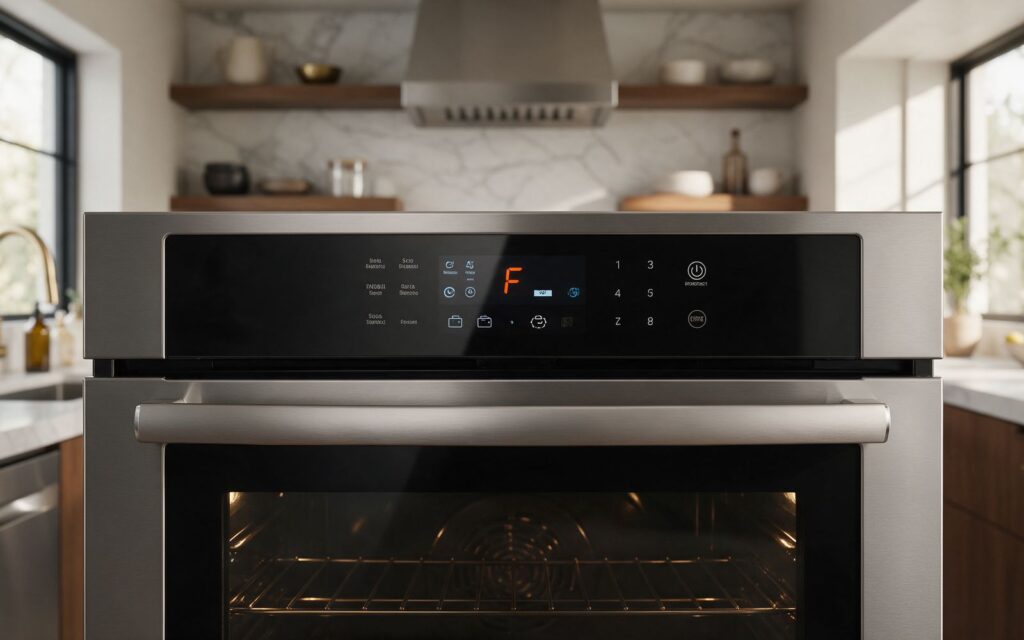
Control lock icons disable touch while interior lights still work—common after cleaning wipes that hold the wrong button combo.
Power surges can corrupt UI logic without damaging magnetron heat paths; a breaker reset may restore touch once.
Membrane delamination on older touch panels creates dead zones—not total failure—often worst on frequently used start pads.
On JennAir products, several states can make a control look unresponsive without any failure. The manufacturer’s help for oven and cooktop controls describes control lock states where touch is limited, and a Sabbath mode on refrigerators that keeps set points while turning off lights, sounds and alarms. Showroom mode on refrigerators leaves lights on without cooling.
The same idea applies to a microwave. Read the use-and-care manual for your model for how the lock and special modes work, since the method differs between models.
| Presentation | Likely cause | Try safely |
|---|---|---|
| Display lit, no touches | Lock or UI fault | Clear lock; one breaker reset |
| Dark display entirely | Power or fuse | Check breaker and outlet path |
| Some buttons only | Membrane wear | Document dead zones for service |
Hold power or clear per manual to exit child lock. Dry the panel if steam condensed during cooking—moisture mimics failure.
Do not pry trim kits or flex the touch glass; built-in units crack under uneven pressure.
Treat the breaker reset as a single step. The manufacturer’s guidance across its products is to reset once and watch what happens, not to repeat it.
Safe to try
Leave to a technician
A touch display that is unresponsive is a controls issue, and it differs from a microwave that runs but does not heat. On the manufacturer’s page for a microwave that does not heat, the owner checks are the power level, the correct function and a short test with one cup of water. A dead panel means that test cannot be run until the controls respond.
Do not try to work around the controls. Forcing a start or bypassing the door switch is a safety issue, and the cabinet should stay closed.
Failure after heavy steam cooking often clears when dry—hardware may still need membrane service if repeats monthly.
If the problem comes and goes, pay attention to what the kitchen was doing at the time: steam from a pot, a recent cleaning wipe or a power event. A pattern tied to one of those is a strong clue, and it is easier for a technician to act on than a general report that the panel is unreliable.
Sudden total loss after lightning favors control board or fuse topics requiring opened service access.
If interior light responds to door but touch does not, UI or lock—not door switch—is the branch to pursue.
That branch matters because it keeps the door switch out of the picture. A light that responds to the door tells you the supply and the door path are alive, so the question moves to the controls.
We test ribbon cables, control board logic, and touch membrane continuity with the unit powered under safe isolation practices for built-ins.
Trim-aware removal protects adjacent wall oven finishes during microwave service.
A silent touch panel is often a lock, moisture, or power story. Try the gentle fixes, map what still works, and schedule trim-aware service when the UI stays dark.
A control lock, moisture on the panel or a temporary control fault can cause it. Check the lock, dry the panel and try one breaker reset before booking.
Yes. Moisture on the panel can mimic a fault, and drying it often restores touch. If the problem repeats after steam cooking, mention that pattern to service.
No. Pressing hard or flexing the glass can damage a built-in panel. Use a clean finger and dry hands.
No. Trim removal and cabinet access are not owner steps, and the unit contains high-voltage parts.
Official manuals and support notes are available on JennAir owner support.
Write down the full model number before ordering parts. Board and sensor revisions can change which part number is correct.
A single power reset can clear a temporary fault, but repeated returns of the same code usually mean a physical cause remains.
Keep vents and filters clear between visits. Restricted airflow often mimics electrical or sensor failures.
If water, burning smells, or sparking are present, stop using the appliance and arrange a professional inspection.
Can reduce UI glitches; proper install grounding matters too.
Only if hard keys exist—many JennAir models are touch-only.
Depends on age and part availability—we quote both paths.
Manufacturer terms vary; repair remains an option.
What to Expect During a JennAir Appliance Diagnostic Visit should be handled as a sequence of questions. Each safe check should confirm…
Continue readingJennAir Error Codes: How to Read F and E Codes Safely should be handled as a sequence of questions. Each safe check…
Continue readingA focused diagnostic visit on JennAir built-ins saves time and repeat trips. A little preparation turns an hour on-site into answers—not another…
Continue readingShare a few details and we’ll confirm an appointment. Prefer to talk? Call us and we’ll help right away.